

Key Takeaways
Why Smart People Still Get Fooled
Phishing — the practice of impersonating a trusted entity to steal credentials, money, or sensitive data — is among the oldest tricks in the digital playbook. Yet it remains one of the most successful. That's not because users are careless. It's because attackers have become skilled psychologists.
Modern phishing messages are engineered to trigger instinctive responses: a sense of urgency, anxiety about a compromised account, or the reflex to help a colleague in distress. When the emotional brain is running faster than the analytical one, even experienced users click before they think. Understanding this dynamic is the starting point for a genuinely effective defense. For a broader foundation in staying safe online, see our beginner's guide to personal cybersecurity.
Common Mistakes That Leave People Exposed
The following errors appear repeatedly across reported phishing incidents. Recognizing them in your own habits — before an attacker does — is a practical first step toward better security.
Trusting a message based on its visual appearance rather than its source.
Why it happens: Attackers copy logos, formatting, and even legal boilerplate from real organizations with high accuracy. A polished design no longer reliably signals legitimacy.
Acting immediately on urgent requests without pausing to verify.
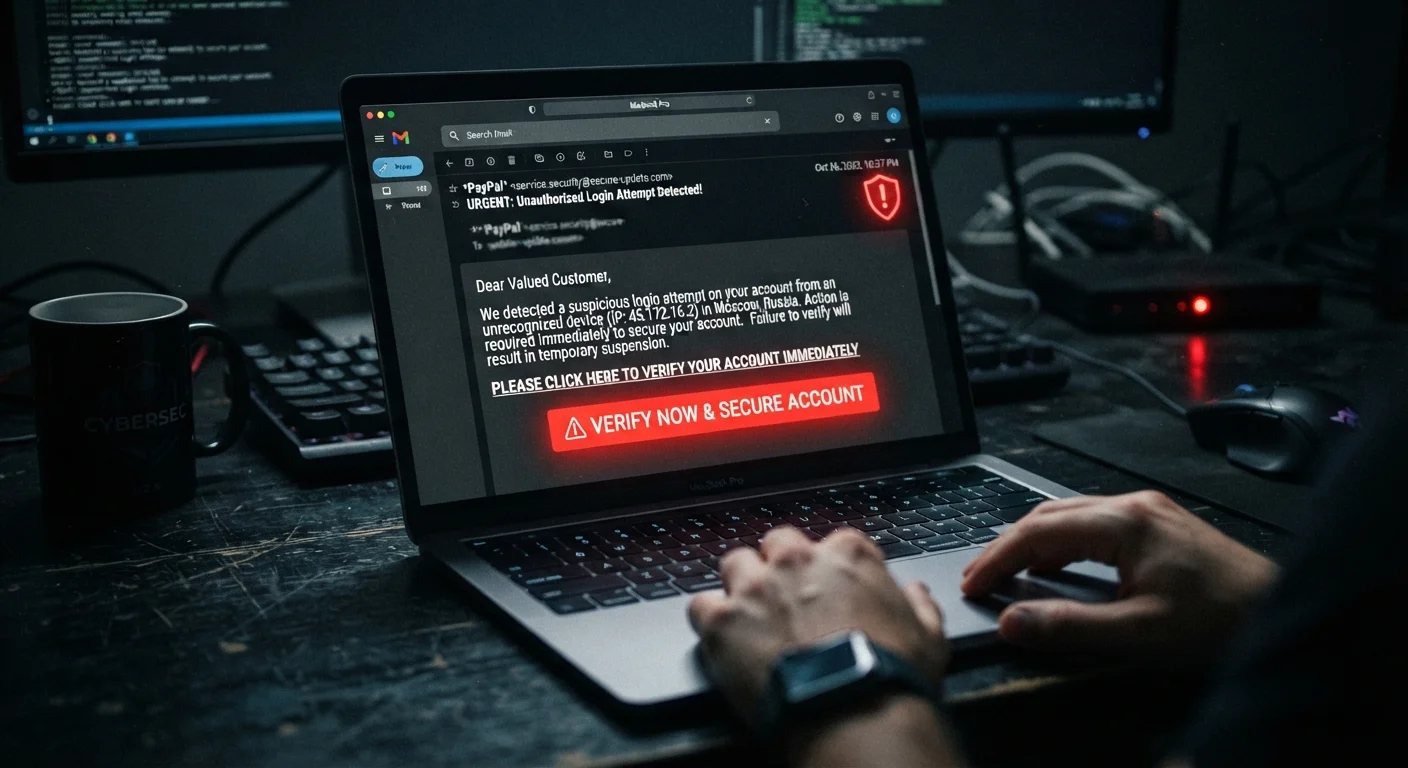
Why it happens: Urgency is a deliberate manipulation technique. Messages warning of account suspension, unauthorized charges, or legal consequences trigger a stress response that compresses the time people give themselves to think.
Clicking links in emails rather than navigating directly to the site.
Why it happens: Clicking is the path of least resistance, and phishing links are often disguised with legitimate-looking display text that hides the real destination URL.
Assuming phishing only arrives by email.
Why it happens: Early phishing awareness training focused almost entirely on email, leaving many people unprepared for SMS-based phishing (smishing) and voice-call phishing (vishing), which use the same psychological tactics in different formats.
Using the same password across multiple accounts.
Why it happens: Managing unique passwords for dozens of accounts feels impractical without a system in place, so reuse becomes a shortcut.
Beyond these individual habits, it's worth noting that phishing threats increasingly target financial accounts connected to automated systems. Our piece on automating your finances covers the specific risks worth monitoring there.
The Patterns That Still Give Phishing Away
Despite how polished phishing messages have become, most still share detectable patterns. Training yourself to notice them takes minutes but pays off consistently.
36%
Share of breaches involving phishing
Verizon's Data Breach Investigations Report has consistently identified phishing as one of the leading causes of confirmed data breaches year over year.
3 billion
Phishing emails sent daily (estimated)
Security researchers estimate roughly 3 billion spoofed emails are sent every day, making phishing one of the highest-volume cyberattack methods in active use.
- Mismatched or lookalike domains: Hover over any link before clicking. A message claiming to be from your bank might link to
secure-bankname-login.netrather than the bank's actual domain. One transposed letter or a hyphen inserted where there shouldn't be one is a red flag. - Pressure language: Phrases like "Your account will be suspended in 24 hours" or "Immediate action required" are designed to short-circuit deliberate thinking. Legitimate organizations rarely impose artificial deadlines on account verification.
- Requests for sensitive information via email or text: Reputable institutions do not ask for passwords, Social Security numbers, or full payment card details through unencrypted channels. Any message that does should be treated as suspect regardless of how official it looks.
- Generic greetings in supposedly personal messages: "Dear Customer" or "Dear User" from a service that has your name on file suggests the sender doesn't actually know who you are.
For a deeper look at the visual and linguistic signals that separate authentic messages from fakes, our companion piece on spotting phishing emails goes further into the subtleties.
Building Habits That Actually Hold
Awareness alone isn't enough — phishing succeeds precisely when users are busy, tired, or distracted. Sustainable protection comes from embedding a few reliable habits into daily digital routines.
First, treat any unexpected request for credentials or payment as inherently suspicious and verify it through a separate, known-good channel — call the company's official number or navigate directly to their website rather than clicking any link in the message. Second, enable multi-factor authentication (MFA) on every account that supports it. Even if a password is captured, MFA creates an additional barrier an attacker must clear. Third, pair strong phishing awareness with strong password habits: reused passwords dramatically amplify the damage a successful phishing attack can cause.
It's also worth reassessing assumptions about what protects you online. Many common beliefs — such as the idea that only certain types of users are targeted — can create a false sense of security. Our article on online privacy myths addresses several of these directly.