

| Everyday multitasking RAM | 8–16GB |
| Standard display resolution | 1920×1080 (Full HD / 1080p) |
| SSD vs HDD speed advantage | SSDs are typically 3–5× faster for file access (General industry benchmark range) |
| Minimum practical SSD capacity | 256GB for most users |
| Typical consumer processor cores | 4–8 cores |
Why Specs Can Feel Like a Foreign Language
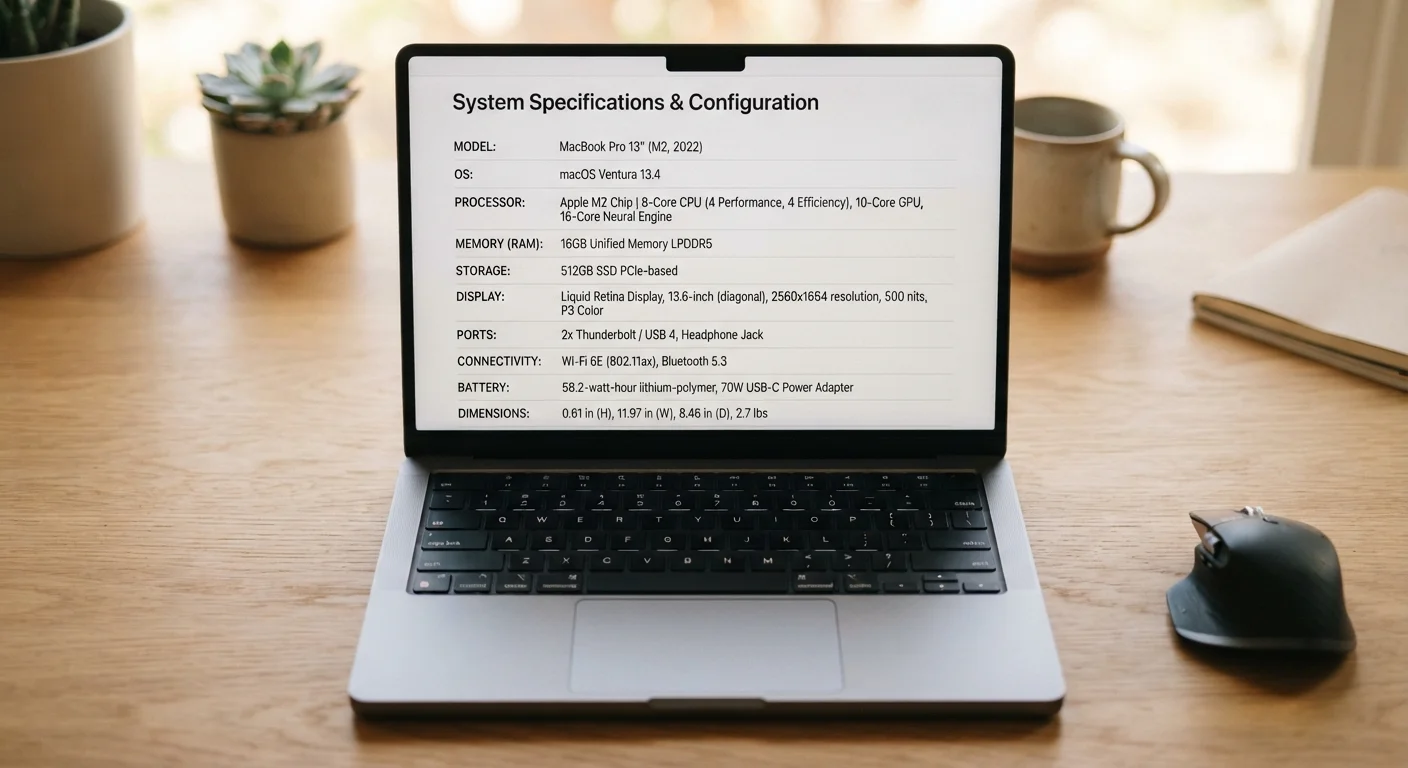
Laptop listings pile on numbers fast: 16GB RAM, 2.4GHz processor, 512GB SSD, 1920×1080 display. Without context, those figures are nearly meaningless to most shoppers. But each one maps directly to something you'll notice in everyday use — or something you won't, depending on how you actually use a computer. This reference breaks each common spec down into plain language so you can match what a machine offers to what your life requires.
Just as bedding labels carry numbers that only matter in context, laptop specs only become meaningful once you know what they're measuring.
RAM
Random Access Memory — the short-term workspace your laptop uses to run open apps and processes. More RAM lets you multitask without slowdowns.
GHz (Gigahertz)
A unit measuring processor clock speed — how many processing cycles occur per second. Higher GHz can mean faster single-task performance, but core count matters equally.
SSD (Solid-State Drive)
A type of storage with no moving parts, making it much faster and more durable than traditional hard disk drives. Most modern laptops use SSDs.
Resolution
The number of pixels on a display, expressed as width × height. Higher resolution produces sharper images and text, especially on larger screens.
HDD (Hard Disk Drive)
An older storage type that uses spinning magnetic platters. HDDs typically offer more storage per dollar but are slower and more fragile than SSDs.
Core Count
The number of independent processing units inside a CPU. More cores allow a processor to run multiple tasks simultaneously, improving multitasking performance.
The Core Specs, Decoded
Here's what each major number on a spec sheet actually controls in real-world use:
| Everyday multitasking RAM | 8–16GB |
| Standard display resolution | 1920×1080 (Full HD / 1080p) |
| SSD vs HDD speed advantage | SSDs are typically 3–5× faster for file access (General industry benchmark range) |
| Minimum practical SSD capacity | 256GB for most users |
| Typical consumer processor cores | 4–8 cores |
RAM (Memory)
RAM — Random Access Memory — is your laptop's short-term workspace. It holds everything currently open: browser tabs, documents, music playback. 8GB handles basic tasks comfortably for most users. 16GB suits multitaskers, video callers, and light creative work. 32GB or more targets video editors and engineers. If your machine slows to a crawl when you have a dozen tabs open, RAM is usually the culprit.
Processor Speed (GHz)
Gigahertz (GHz) measures how many cycles a processor completes per second — but raw clock speed is only part of the story. Modern chips have multiple cores, meaning they can handle several tasks simultaneously. A 4-core processor at 2.5GHz often outperforms a single-core chip at 3.5GHz for everyday work. Look at core count alongside GHz rather than GHz alone.
Storage: SSD vs. HDD, and GB vs. TB
Storage capacity is measured in gigabytes (GB) or terabytes (TB). More importantly, how data is stored shapes how fast your laptop feels. A solid-state drive (SSD) has no moving parts and loads files, apps, and the operating system dramatically faster than an older hard disk drive (HDD). For most consumers, a 256GB SSD feels snappier than a 1TB HDD — even though the HDD holds four times as much. If you store large video libraries or many large files locally, prioritize capacity; for speed and responsiveness, prioritize SSD.
Display Resolution
Resolution describes how many pixels fit on screen, expressed as width × height (e.g., 1920×1080, often called Full HD or 1080p). Higher resolution means sharper text and images — relevant if you do photo editing, read dense documents, or just prefer crisp visuals. 1080p is a practical standard for most uses. 1440p and 4K panels look excellent but consume more battery and typically cost more. Screen size matters too: a 4K image on a 13-inch display may look nearly identical to 1080p to the naked eye.
Internet Performance Is Separate
One spec that doesn't appear on most laptop sheets — but affects your experience significantly — is your internet connection. Once you understand what your laptop can handle, it's worth knowing what internet speed numbers actually mean for everyday tasks like streaming and video calls.