

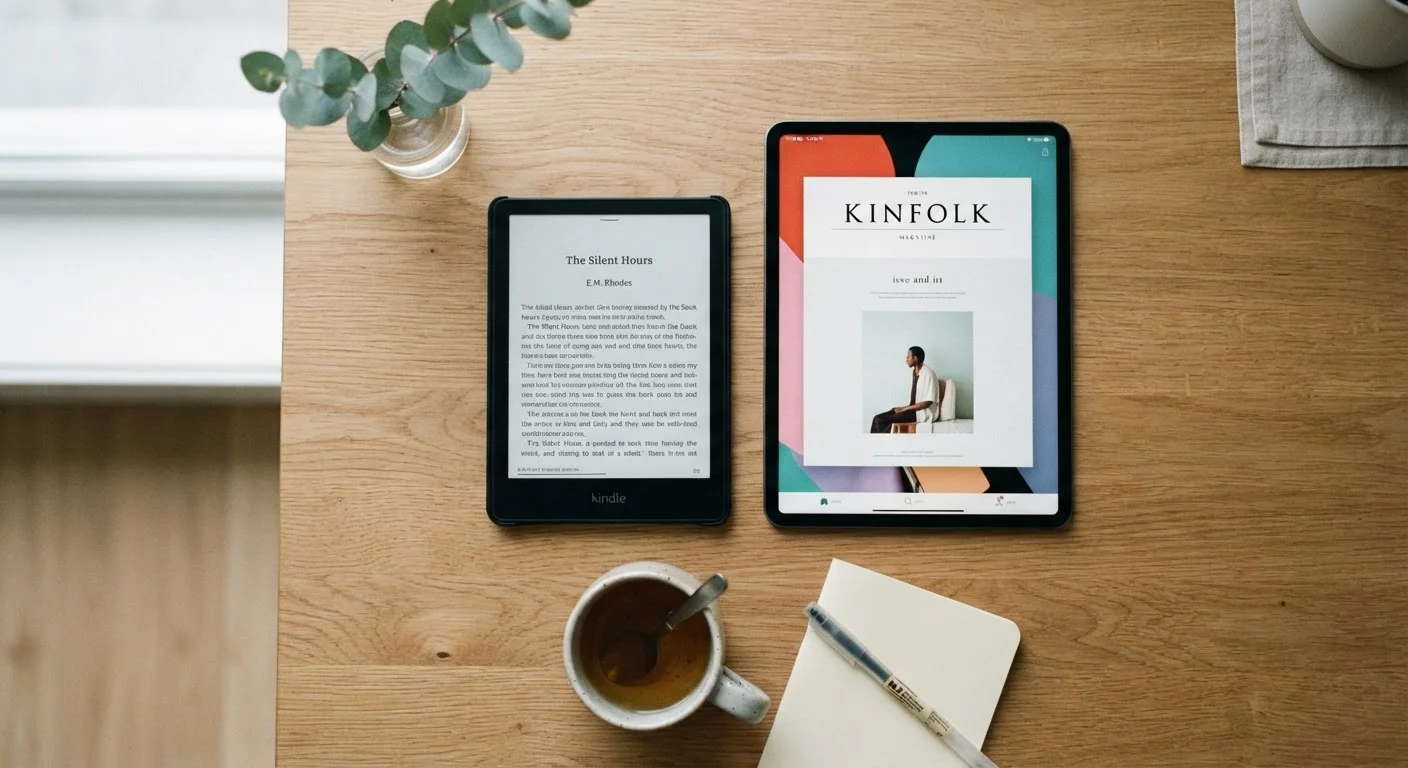
Key Takeaways
Option A
E-Reader
The purpose-built reading companion.
Best for: Readers who read daily, spend long sessions with text, or frequently read in bright outdoor light.
Option B
Tablet
The versatile, do-everything screen.
Best for: Readers who want one device for books, streaming, browsing, and apps without carrying multiple gadgets.
If you read for one or more hours every day
E-Reader
E Ink displays reduce eye fatigue significantly during long sessions, and weeks of battery life means you never scramble for a charger before bed.
If you want one device for reading, streaming, and browsing
Tablet
Tablets run full app ecosystems, making them practical all-in-one devices for readers who also watch video or need productivity tools.
If you read mostly outdoors or in bright sunlight
E-Reader
E Ink screens are reflective like paper and remain readable in direct sunlight, where tablet displays typically wash out.
If you read occasionally and need a general-purpose device
Tablet
For light or infrequent readers, a tablet's versatility makes it a better investment than a single-purpose e-reader.
If you read heavily illustrated books, comics, or magazines
Tablet
Tablet screens render full color with high contrast, while most e-readers display limited grayscale that flattens image-heavy content.
How the Screens Actually Differ
The most fundamental difference between e-readers and tablets is the display technology, and it shapes almost everything else about the reading experience.
E-readers use E Ink (electronic ink) displays. These screens work by physically rearranging tiny charged particles to form letters and images, rather than projecting light through a panel. The result looks remarkably close to printed ink on paper. Because E Ink only draws power when the screen changes — not while displaying a static page — battery life stretches to weeks rather than hours. The surface is also matte and non-reflective, which means it stays legible in direct sunlight.
Tablets use LCD or OLED panels, the same backlit technology found in smartphones and computer monitors. These screens can render millions of colors, play video smoothly, and refresh rapidly enough for interactive apps and games. However, they emit continuous light toward the viewer, which can contribute to eye fatigue during long reading sessions — particularly in low-light environments where contrast between the bright screen and a dark room increases strain.
| Criterion | E-Reader | Tablet |
|---|---|---|
| Display type | E Ink (paper-like, matte) | LCD or OLED (backlit, glossy) |
| Eye strain over long sessions | Generally lower | Higher, especially in dim light |
| Battery life | Several weeks typical | One to two days typical |
| Sunlight readability | Excellent | Poor to moderate |
| Color support | Grayscale (most models) | Full color |
| App ecosystem | Limited, reading-focused | Broad — streaming, productivity, games |
| Typical weight | Under 7 oz (most models) | 14–28 oz depending on size |
| Best content type | Text-heavy books and articles | All formats including comics and video |
Battery Life, Portability, and Everyday Practicality
For anyone who reads regularly, battery anxiety is a real friction point. Most e-readers are rated for several weeks of reading on a single charge under typical use — a meaningful advantage for travelers, commuters, or anyone who forgets to plug in. Tablets, by contrast, generally need nightly charging, and heavy use can drain them mid-day.
Portability is another area where e-readers hold an edge. Most weigh well under half a pound and are thin enough to slip into a jacket pocket. Tablets are heavier and wider, which becomes noticeable during extended one-handed reading. If you regularly read on a bus, in bed, or standing in a queue, the physical difference matters more than specs suggest.
That said, tablets genuinely excel at versatility. A single tablet can serve as your reading device, video player, web browser, and light productivity tool. For households or individuals who want to minimize the number of devices they own, a tablet can carry the reading workload alongside everything else. Just as choosing a budgeting tool comes down to what you'll actually use — a concept explored in our guide to budgeting methods — the right reading device is the one that fits your real habits, not your ideal ones.
Content, Formats, and What Each Device Does Well
E-readers handle standard ebook formats — EPUB and the proprietary formats tied to major digital book retailers — with ease. Text reflows cleanly regardless of font size, and adjustable typography is a genuine accessibility benefit for readers with vision sensitivities. However, most e-readers display only grayscale or limited color, which makes them a poor fit for comics, graphic novels, illustrated children's books, or heavily designed magazines.
Tablets handle all of that content and more. Color accuracy and brightness make image-heavy publications look their best. Tablets also support every major ebook app, so you are not locked into any single library or retailer. The trade-off is that this openness comes with distractions — notifications, social media apps, and the general pull of the internet are always one tap away, which some readers find disruptive to focus.
A Note on Blue Light and Eye Strain
Tablet manufacturers have introduced blue-light reduction modes and night-shift settings that warm the screen's color temperature in the evening. These features can reduce some discomfort, though they do not eliminate the underlying difference between a backlit screen and a reflective E Ink surface. If eye strain during reading is a significant concern for you, consider discussing screen use habits with an eye care professional.
Neither device type is inherently superior. The decision turns on one honest question: what does your reading life actually look like, day to day?